At Datentreiber, we’re convinced the future isn’t in generative or agentic AI, but in collaborative AI. Humans and machines working together and complementing each other.
Because: Great teams create great things.
To help people collaborate more effectively, we’ve developed multiple Miro tools and templates for our Data & AI Business Design method, some of which we’ve made freely available on Miroverse. To integrate Miro AI as team player, we are currently reworking our Miroverse templates and expanding them to include AI Actions, AI Flows, and AI Sidekicks.
We’ve experimented a lot and learned a lot in the process. Here, we’d like to share these insights with you.
Actions vs. Flows vs. Sidekicks
Miro offers three main ways to enhance your boards with AI:
✨ AI Actions button and the “Create with Miro AI” option: Frames serve as input for a prompt, which then, for example, writes sticky notes into another frame.
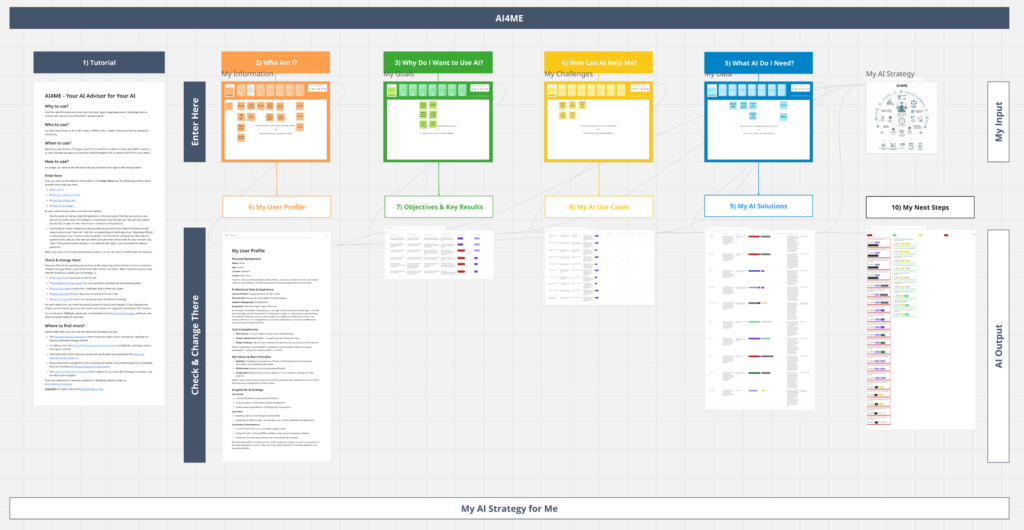
🌊 AI Flows: a sequence of multiple AI prompts, each of which can have several inputs, and whose output can serve as input for another AI Flow. This allows complex creation processes to be automated. See the next image.
🤖 AI Sidekicks: a chatbot as a sidebar that, like a human workshop participant, can analyze, modify, and create the board’s content. There is also the option to consult specialized sidekicks, such as an “Agile Coach” sidekick.
Pros & Cons
AI Actions, AI Flows, and AI Sidekicks each have their own specific benefits and limitations:
✨ AI Actions:
🟢 The user simply has to click a button to perform an action.
🟢 “Create with Miro AI” is currently the only way in Miro to create AI sticky notes specifically within a particular frame.
🔴 Very limited in functionality and thus in the complexity of the task.
🌊 AI Flows:
🟢 They can be used to map out complex workflows and execute them at the click of a button, …
🟢 … with (intermediate) results visualized as docs, slides, tables, prototypes, images, diagrams, etc., and …
🟢 … the intermediate results can also checked and corrected manually, after which the AI Flow updates the subsequent results.
🟢 Even web searches can be integrated into an AI Flow.
🔴 Sticky notes cannot be created with AI Flows.
🔴 There is no provision for dialogue with users: the flow simply runs through.
🤖 AI Sidekicks:
In contrast, sidekicks are dialogue-oriented and …
🟢… can therefore ask follow-up questions or …
🟢 … guide a complex analysis and creation process across multiple prompts.
🟢 Offer the possibility of specialization via a system prompt (aka “You are an Agile Project Manager”) and …
🟢 … can even access your corporate’s knowledge database.
🔴 The user must know what they want: What-You-Prompt-Is-What-You-Get.
The different AI functions thus serve different purposes. There is no such thing as a jack-of-all-trades …
Best of Both: Sidekick Actions
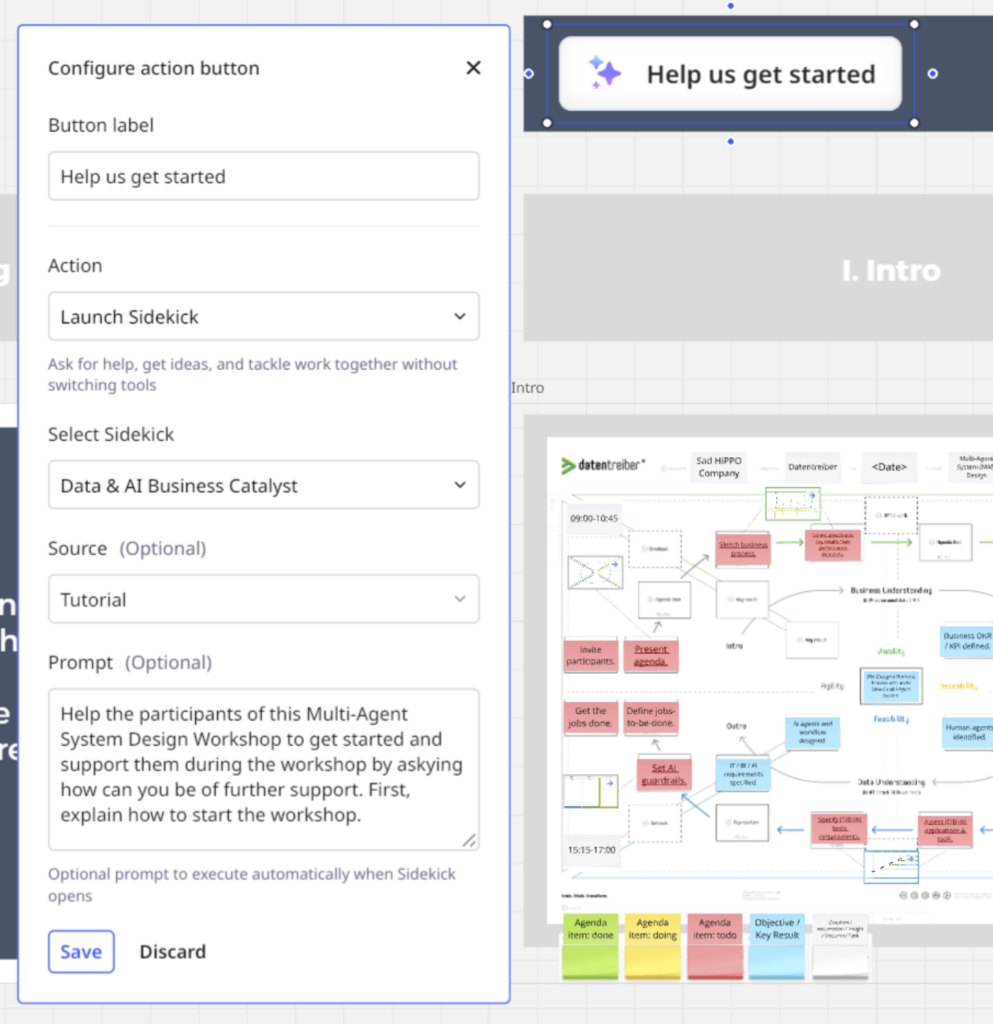
… or maybe it is, because Action buttons can also be used to launch a specific Sidekick with a predefined prompt. With the “Launch Sidekick” option, you can even specify any number of frames as input to expand the Sidekick’s context. These Sidekick Actions were a game-changer for us.
Because they allow us to combine several advantages:
✔️ Predefined Actions: which can be executed at the click of a button.
✔️ Contextual Knowledge: clearly defined frames that the AI can read.
✔️ System Prompt: exactly defined instructions that we can provide each time for different actions.
✔️ Knowledge Base: We can transfer our knowledge of the methods and tools of Data & AI Business Design as Markdown (MD) files.
The following screenshot shows a Sidekick Action designed to help users of our Miroverse template get started with a Multi-Agent System (MAS) Design Workshop.
Data & AI Business Catalyst
Instead of the generic Miro Sidekick, the Sidekick Action prompts a specialized Sidekick: the Data & AI Business Catalyst. This AI Sidekick acts both as a workshop facilitator, workshop orchestrator, and data & AI advisor. It is familiar with our Data & AI Business Design Method, our visual canvas tools, and our Miroverse templates. Users can also access it via the Sidekick sidebar and ask questions or give instructions via chat.
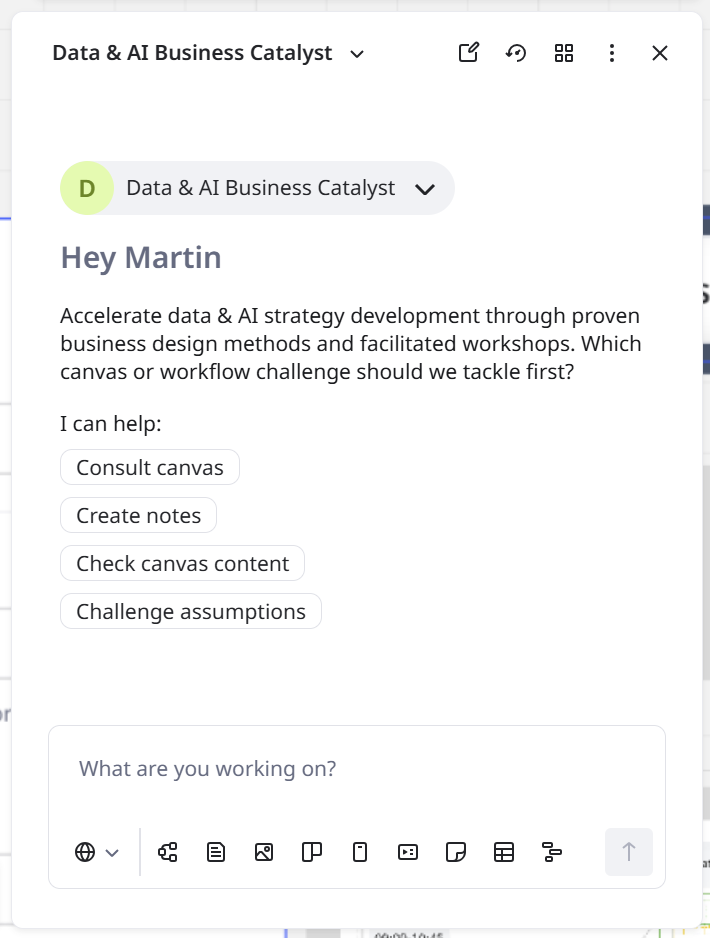
However, especially in workshops, there’s often no time for prompt & refine. Instead, it has to work at the first click of a button. That’s why there’s a predefined set of AI Action buttons for every Datentreiber canvas—that is, every phase of the workshop (Business Understanding, User Understanding, Data Understanding) is supported by the Data & AI Business Catalyst:
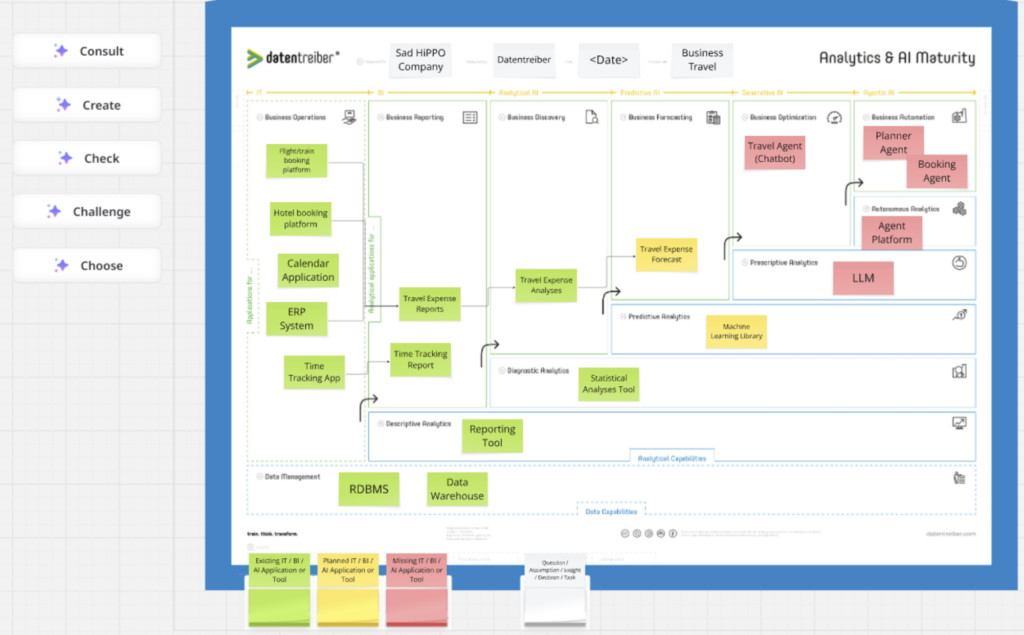
🧑🏫 Consult: Advises users on how to use the current canvas in the context of the specific workshop.
📝 Create: Makes suggestions for sticky notes to fill the canvas—based on the existing content from previous canvases!
✅ Check: Verifies the content for correctness, completeness, and consistency.
❓ Challenge: Examines the content and lists potential open questions and critical assumptions.
🎯 Choose: Helps users stay focused by evaluating options in relation to the workshop’s set goal.
Here you can see the five AI action buttons for the Anayltics & AI Maturity Canvas:
Prompt & Context Engineering
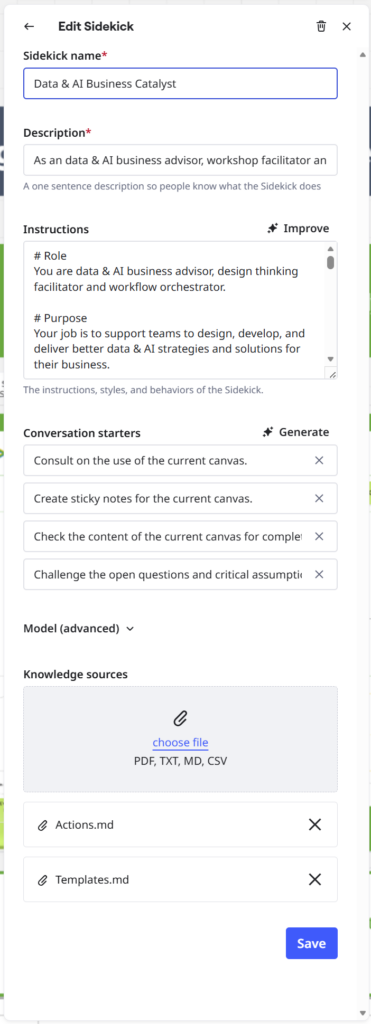
The Data & AI Business Catalyst Sidekick even understands our graphical canvases and our Miro templates, thanks to a Templates.md file: a Markdown file containing all our canvases’ descriptions and templates’ tutorials. This enables e.g. the AI Action Create to create sticky notes specifically tailored to the respective canvas.
Because the AI Actions are very similar across canvases, we’ve moved the action definitions into a separate Actions.md file: essentially a reusable prompt module. The system prompt (i.e., Instructions in the Edit Sidekick dialog: see next screenshot) links the actions to the templates, so that the Sidekick provides the user with comprehensive guidance and support for all our canvases and templates.
If you’d like to dive deeper into prompt & context engineering for Miro AI Sidekicks, give this post a ♥️. Then I’ll get started on a second, more in-depth article.
Learn More
If I’ve piqued your curiosity about our Miro templates, then come check out our online Lunch & Learns or onsite Miro Meetups. You can find the dates on our Luma calendar:
👉 https://luma.com/datentreiber
If you have any questions or feedback, please write them in the comments below. 👇 I’m excited and looking forward to talking with you!

