Innovating with Intelligence
Generative AI
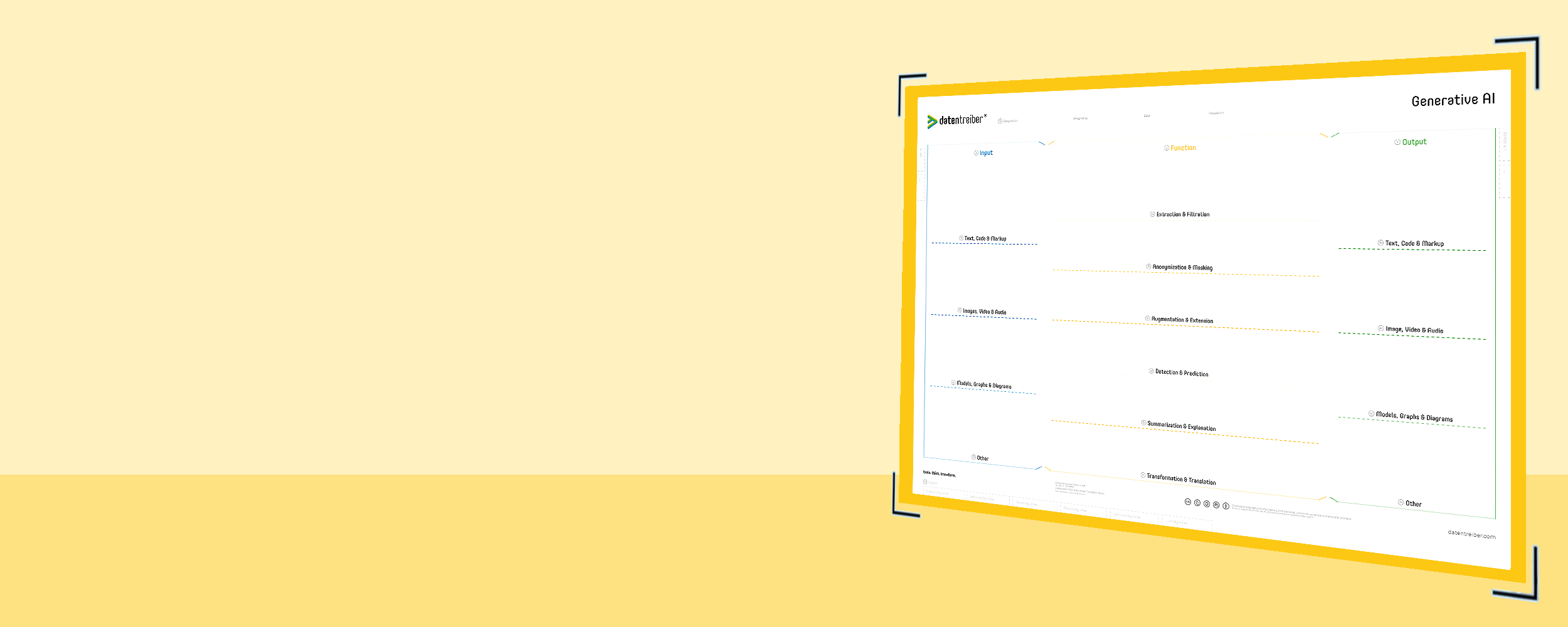
With the Generative AI canvas, you develop creative and innovative application ideas of Generative AI for your company and your customers. The canvas shows you the business potential of your data and the diverse possibilities of Artificial Intelligence.
What is the Generative AI Canvas?
The Generative AI Canvas is a tool designed to help teams brainstorm and refine application ideas that leverage generative artificial intelligence. Instead of focusing purely on analyzing existing data, generative AI goes a step further: it can produce entirely new content from a variety of inputs—text, images, audio, or even diagrams. By visually mapping out potential inputs, the functions that an AI might perform on these inputs, and the desired outputs, you gain a structured overview for exploring innovative use cases that align with your organization’s needs or your customers’ aspirations.
From envisioning AI-generated product descriptions to crafting synthetic images, models, or multimedia experiences, the Generative AI Canvas helps crystallize how generative models can transform raw data into valuable outputs. This approach encourages interdisciplinary collaboration—bringing together business experts, data specialists, and creative minds—to discover where AI-driven generation, transformation, and enhancement of content can create genuine value.
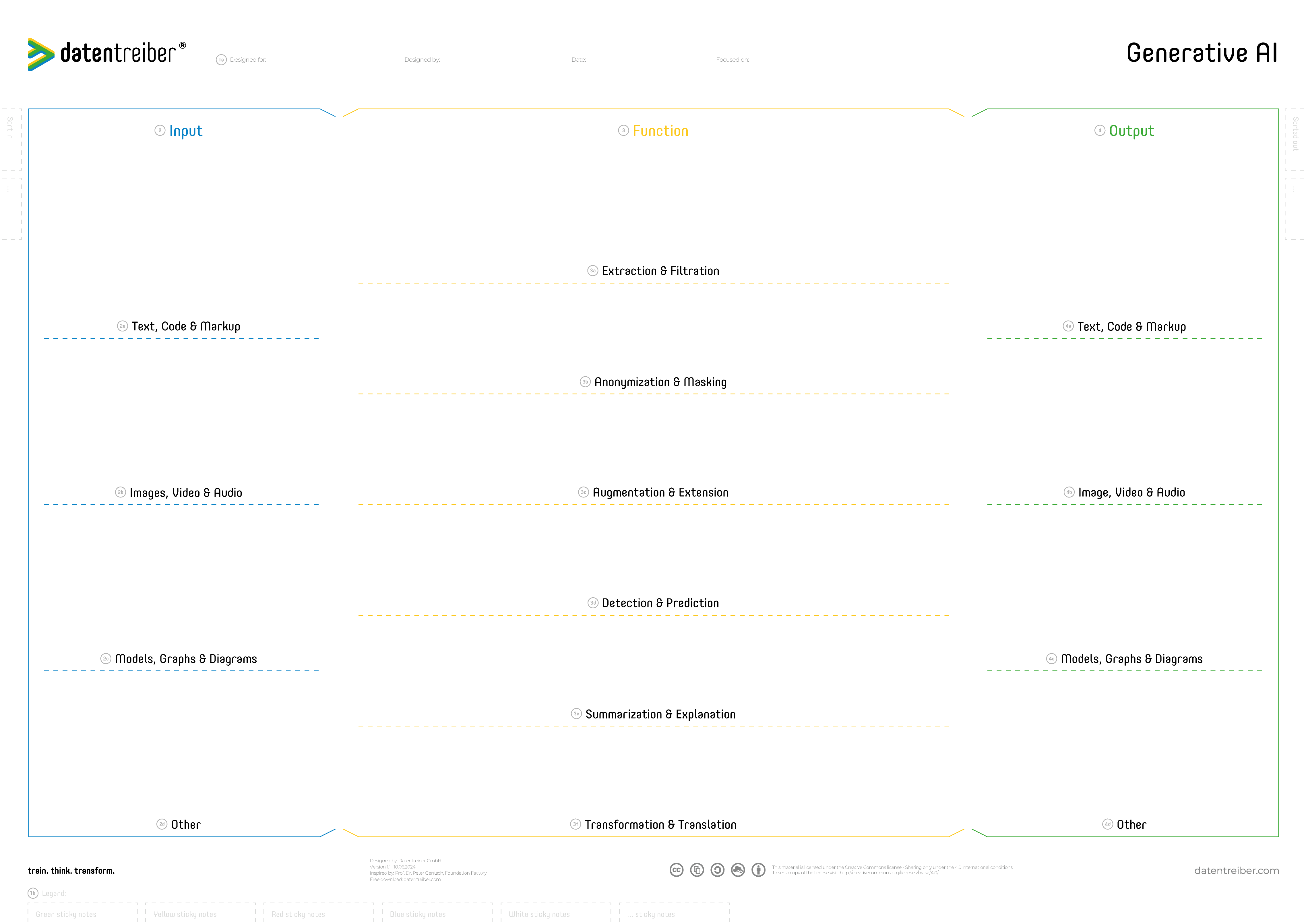
The Generative AI Canvas is available for free under a Creative Commons license: You may use and modify the canvas as long as you cite Datentreiber in particular as the source.
When to Use the Generative AI Canvas
The Generative AI Canvas is particularly useful when:
- Ideating New AI-Driven Products or Services:
If you’re exploring how generative AI could introduce novel features—such as automated documentation, image synthesis, or personalized content creation—the canvas guides you in connecting available data sources and AI capabilities to concrete business outcomes. - Enhancing Customer Experience:
When you want to offer more engaging, tailored user experiences, the canvas helps identify where generative AI can enrich interactions—be it dynamic recommendations, creative visualizations, or seamless language translations. - Cross-Functional Concept Development:
If your team includes diverse expertise—technical, commercial, creative—the canvas ensures everyone contributes meaningfully. It clarifies the types of input data you have, the generative transformations possible, and the multimodal outputs that could set you apart in the market.
By using the Generative AI Canvas, organizations can move beyond analytical use cases and tap into the imaginative potential of AI, turning forward-looking ideas into actionable plans.
How Do I Use the Generative AI Canvas?
The Generative AI Canvas helps interdisciplinary teams to identify, discuss, and refine application ideas for Generative AI. It provides a structured way to connect available or desired input data, possible AI functions, and valuable outputs for the company or its customers.
The canvas can be used in two complementary directions: first, by starting from existing inputs and exploring which AI-supported functions and outputs are possible; and second, by starting from desired outputs and working backwards to the functions and inputs required to create them. This helps teams discover both realistic near-term opportunities and more innovative future use cases.
By mapping Inputs, Functions, and Outputs and connecting them with arrows, the canvas creates a shared view of how Generative AI can create value. It also makes visible which data or capabilities already exist, which are missing, and which are currently planned or in progress.

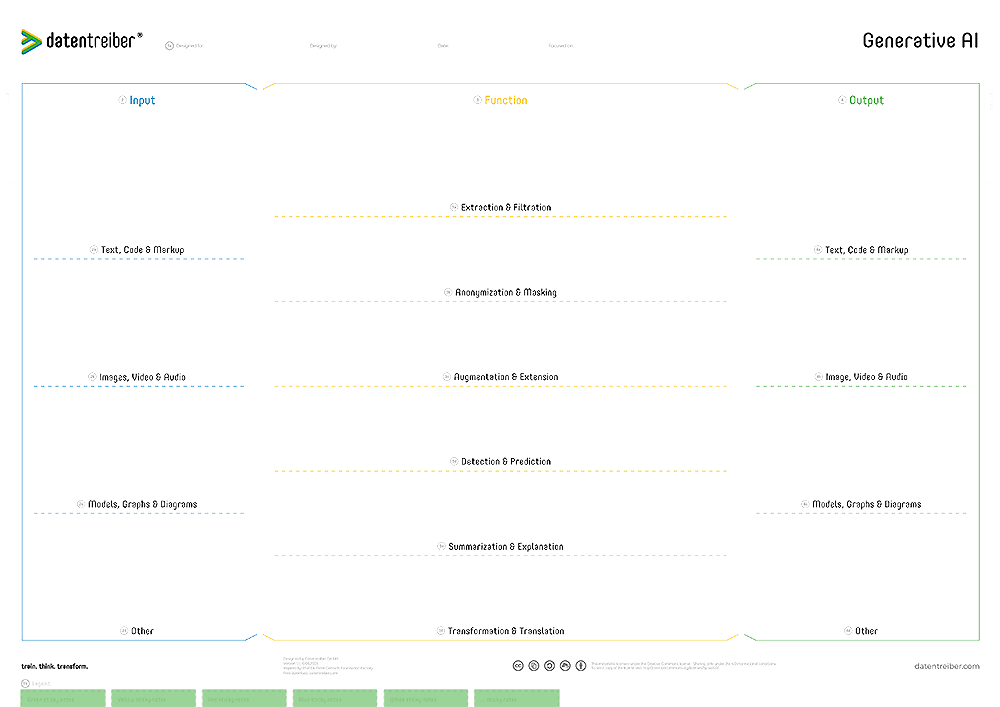
1a Header
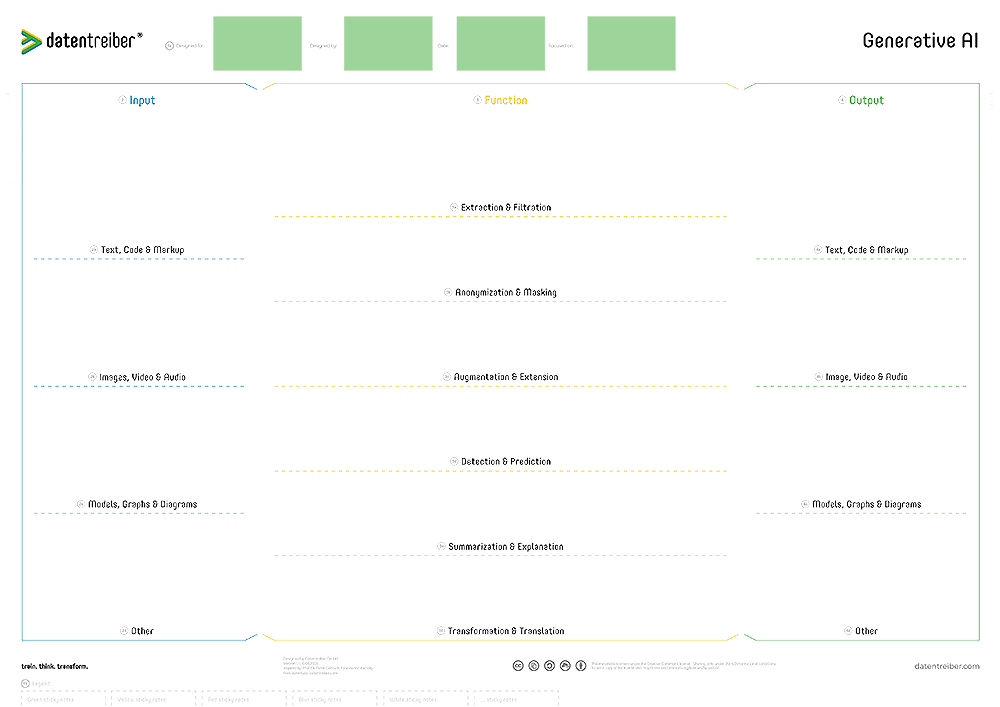
The header defines the content of the canvas and should consist of the following information:
- Designed for: Which organization (company, department, team, etc.) does the content of the canvas concern?
- Designed by: Which organization (company, department, team, etc.) created the content?
- Date: When was the content created or last updated?
- Focused on: On which area, topic, use case, or customer need does the content of this canvas focus?
There should be no copies of the same canvas with identical headers, i.e. the header clearly identifies a version of the canvas and documents the current status of its content.
1b Footer
The footer explains the coloring of the sticky notes and other visual elements used on the canvas.
For the Generative AI Canvas, the legend should make clear, for example:
- Green sticky notes: existing or available data, functions, or outputs
- Yellow sticky notes: planned or in-progress data, functions, or outputs
- Red sticky notes: missing data, functions, or outputs
- Transparent arrows: connections and processing flows between input, function, and output elements
For each sticky note color or format, there should be an identically colored or formatted note in the legend with a title explaining its meaning.
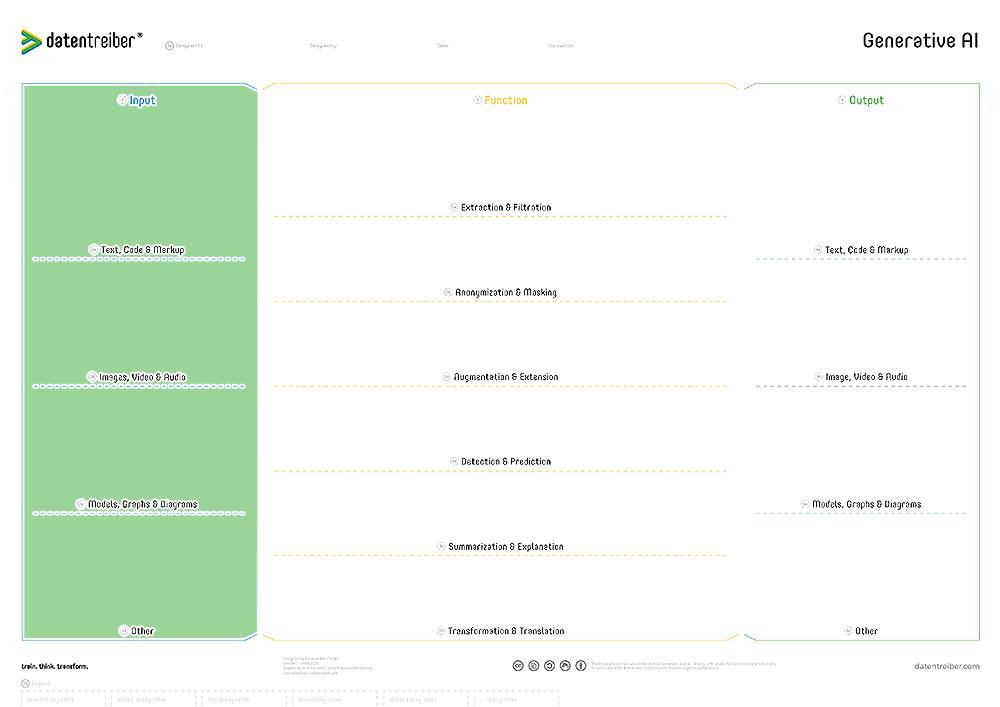
2 Input
The Input fields capture the data and prompts that a Generative AI solution can use as a starting point.
Inputs can include existing company data, external data sources, or direct user input. These may be structured or unstructured, for example:
- Text documents, code, and markup files
- Images, audio, and video
- Technical drawings, diagrams, or models
- Product data or knowledge bases
- User prompts, commands, or parameters
Multiple inputs can be combined in one use case. The Input section should make visible which relevant inputs already exist, which are missing, and which are currently being developed or prepared.
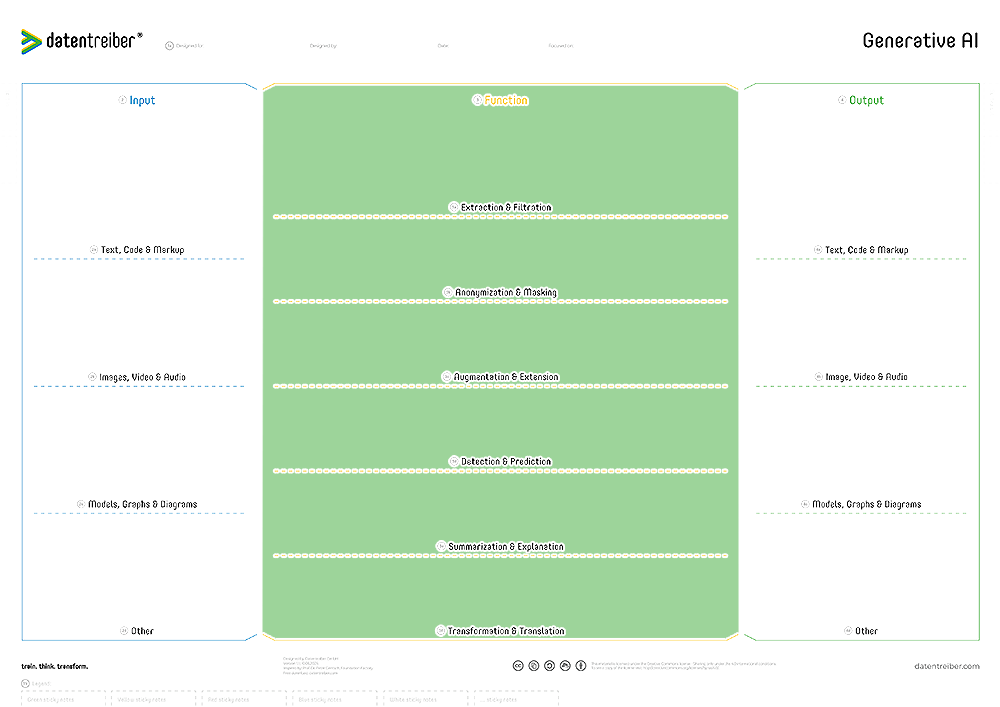
3 Function
The Function fields describe what the Generative AI does with the input data in order to create value.
Functions can include generating, transforming, summarizing, rewriting, translating, combining, or enhancing content. They describe the actual AI-supported step between input and output.
Typical examples include:
- Generating product descriptions from images or product data
- Creating summaries from documents
- Turning text into images, audio, video, or technical designs
- Rewriting content for different audiences or channels
- Combining multiple sources into a new and coherent output
A Generative AI solution can perform multiple functions in sequence or in parallel. These relationships should be visualized with arrows to show the intended processing logic.
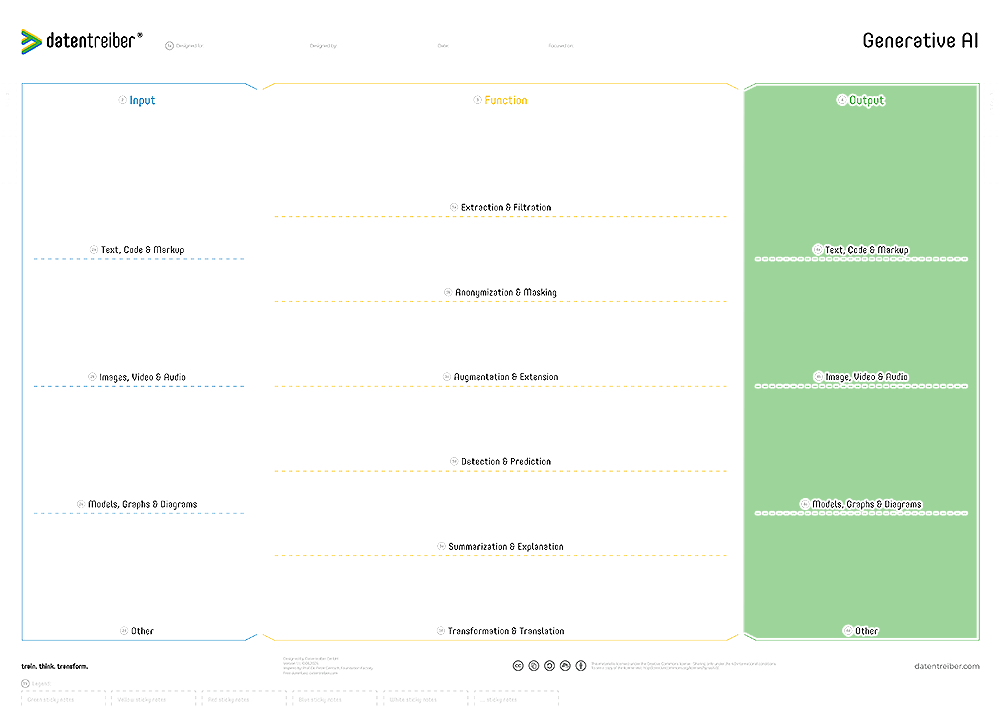
4 Output
The Output fields describe the content or results that the Generative AI solution is expected to produce.
Outputs can be created for internal users, customers, or business processes. They should describe the desired result as concretely as possible, for example:
- Product descriptions
- Summaries or reports
- Synthetic images or videos
- Personalized messages or recommendations
- Drafts, designs, or technical documentation
The Output section can also be used as a starting point for ideation: teams first define which results are desirable, and then work backwards to identify the necessary functions and inputs. In this way, the canvas supports both opportunity-driven and goal-driven exploration of Generative AI use cases.
Where Can I Find More Information?
- Find detailed tutorials and examples on how to use the canvas in the context of designing a fully integrated data & AI strategy in our Data & AI Design Bench.
- The Generative AI canvas was developed in collaboration with the Foundation Factory. On the pages of the AI Foundation you can find more information about Generative AI.
- Data Thinker-Gruppe (LinkedIn)

